
Introduction
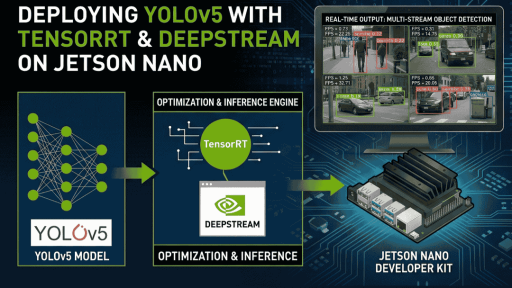
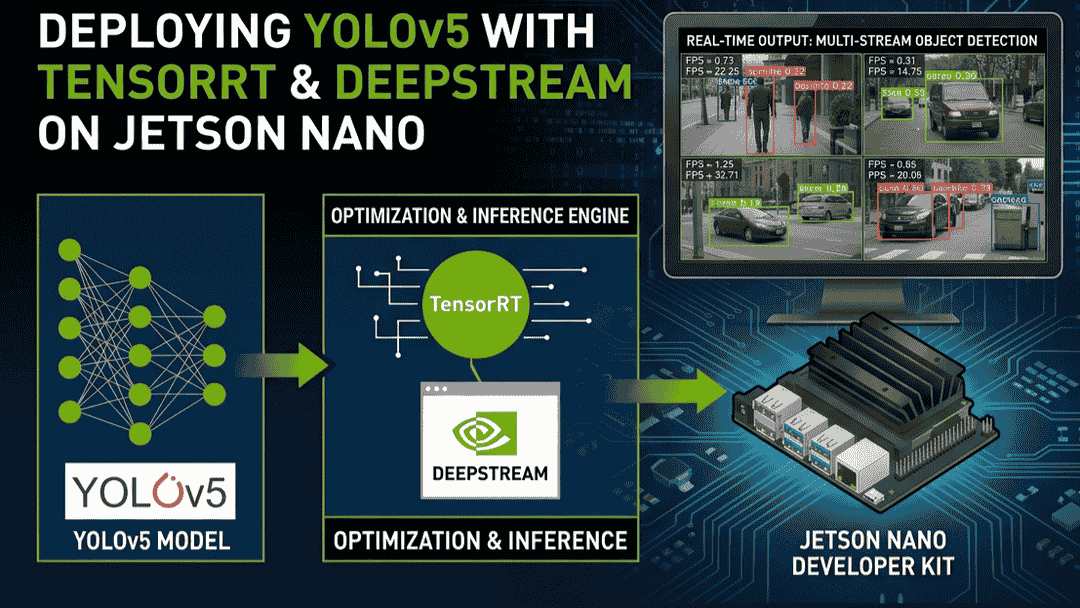
Train your own YOLOv5 model on a CUDA-capable host PC, convert it to a TensorRT engine, deploy it to a Jetson Nano, and run it with DeepStream. (This note uses <code>yolov5s.pt</code> as an example.)
Environment
Hardware:
- CUDA-capable GPU host PC
- Jetson Nano 4GB B01
- CSI camera, USB camera
Software:
- yolov5-5.0
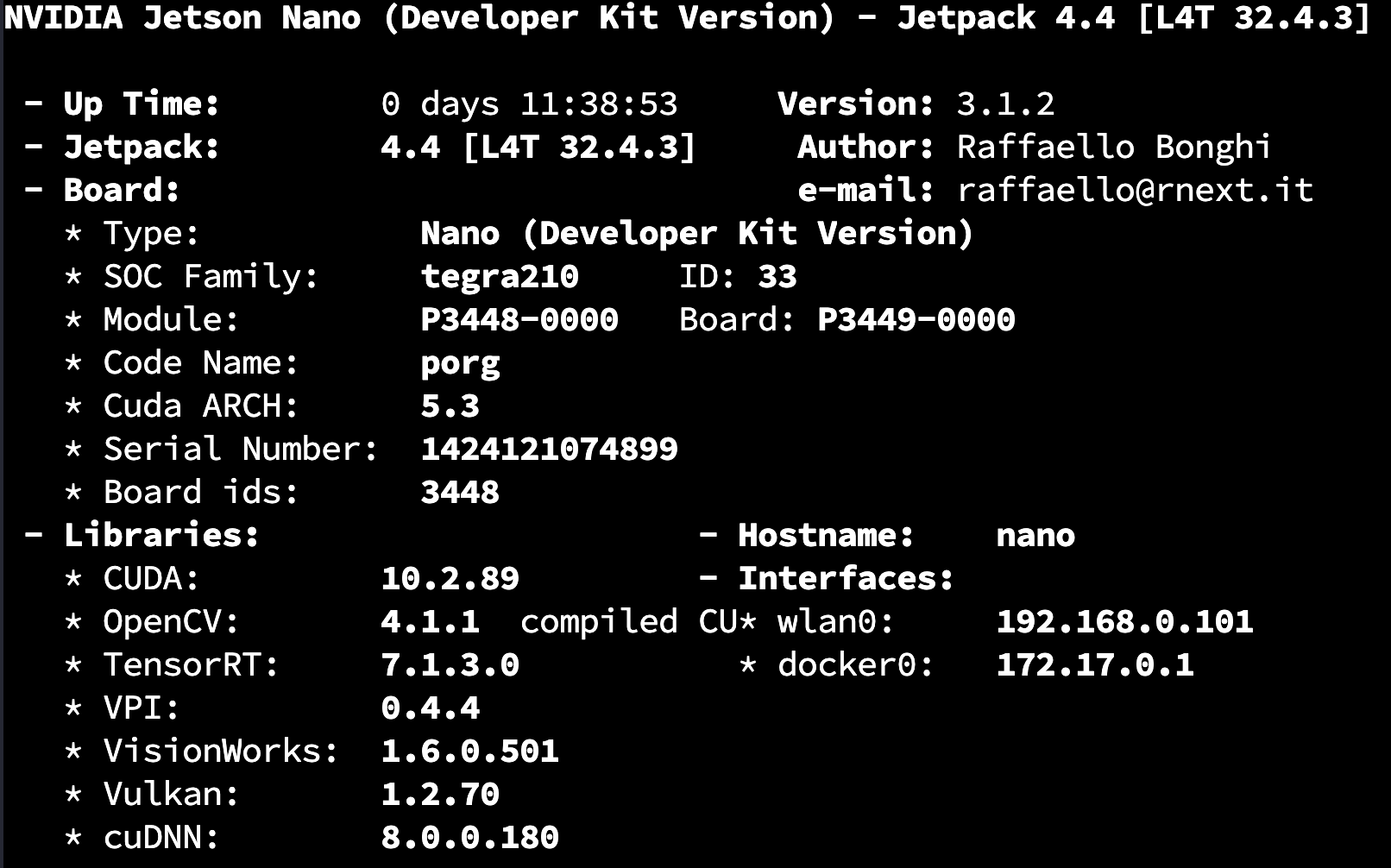
- jetpack-4.4
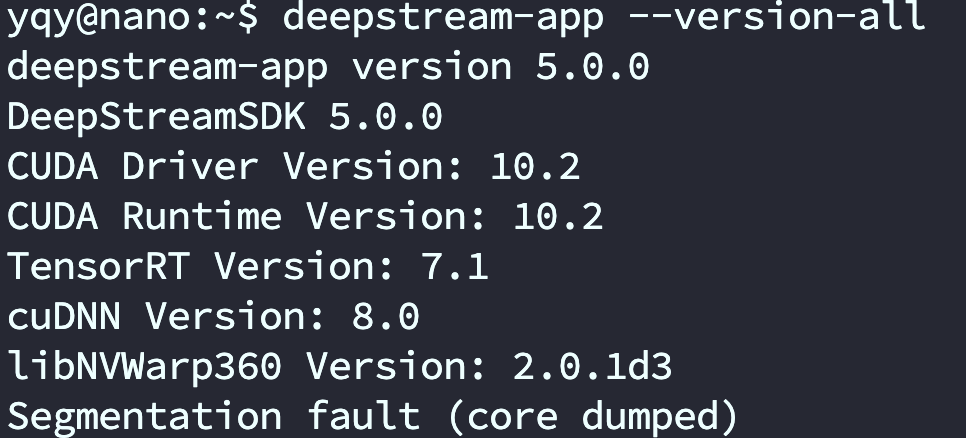
- deepstream-5.0
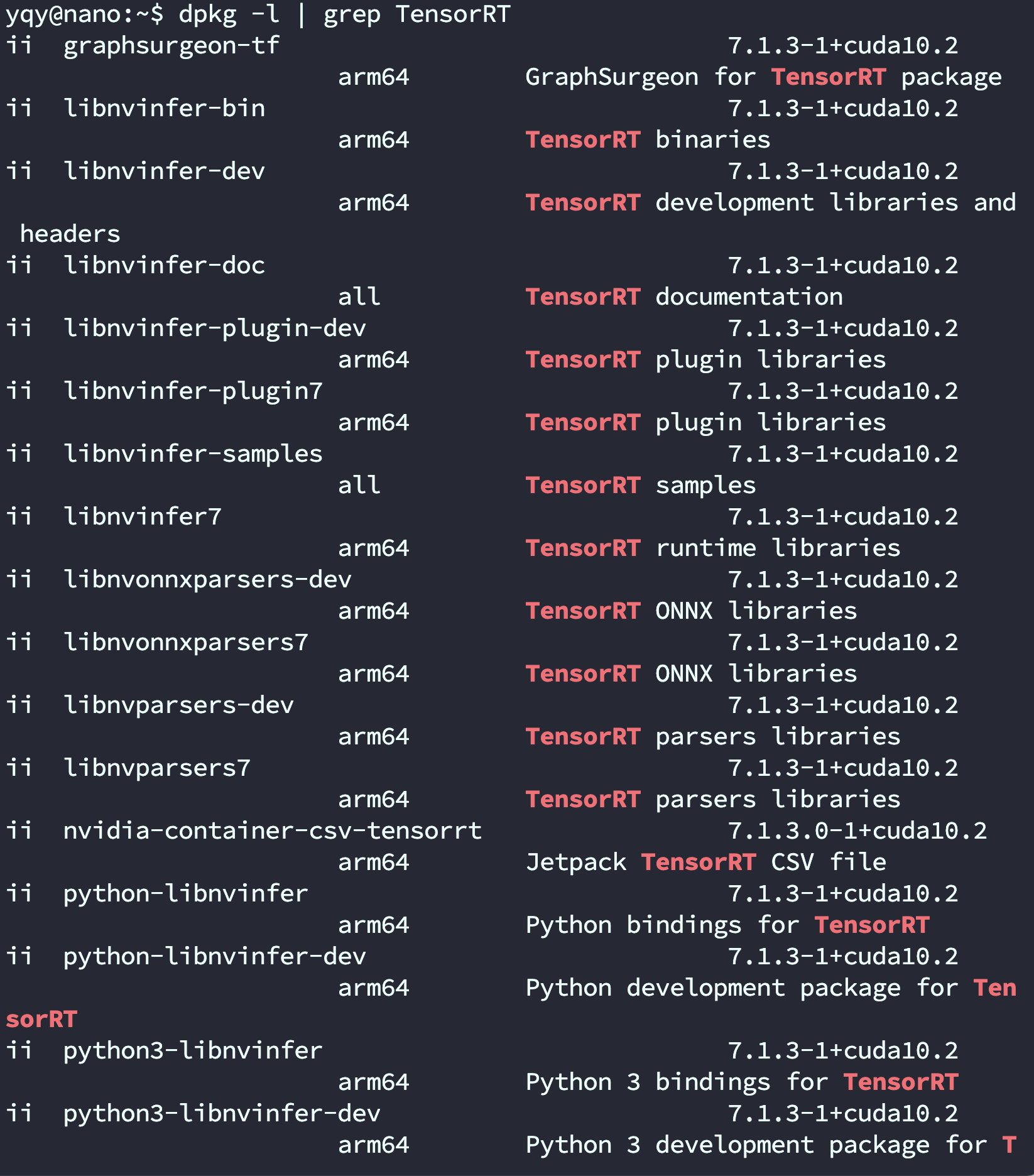
- TensorRT-7.1
- CUDA-10.2
On the Host PC
- Download YOLOv5
git clone -b v5.0 https://github.com/ultralytics/yolov5.git
git clone -b yolov5-v5.0 https://github.com/wang-xinyu/tensorrtx.git
Official tutorial documentation:
tensorrtx/yolov5 at yolov5-v5.0 · wang-xinyu/tensorrtx (github.com)
- If you can't serialize an engine on the PC, you can also do it on the Jetson.
On the Jetson
Set up the YOLOv5 environment
git clone https://github.com/ultralytics/yolov5.git
python3 -m pip install --upgrade pip
Enter the YOLOv5 project directory.
pip3 install -r requirements.txt
If you hit a Pillow-related error: uninstall Pillow with <code>pip3 uninstall pillow</code>, then reinstall with <code>pip3 install pillow</code>.
Clone TensorRTx
Repository: https://github.com/wang-xinyu/tensorrtx.git
git clone https://github.com/wang-xinyu/tensorrtx.gitPlace the generated <code>.wts</code> file under <code>tensorrtx/yolov5/</code>.
If you trained your own model, you need to modify <code>tensorrtx/yolov5/yololayer.h</code>:
static constexpr int CLASS_NUM = 80Compile the code:
cd {tensorrtx}/yolov5/
mkdir build
cd build
cp {ultralytics}/yolov5/yolov5s.wts {tensorrtx}/yolov5/build
cmake ..
make
Convert the generated <code>.wts</code> file into an <code>.engine</code> file:
sudo ./yolov5 -s yolov5s.wts yolov5s.engine s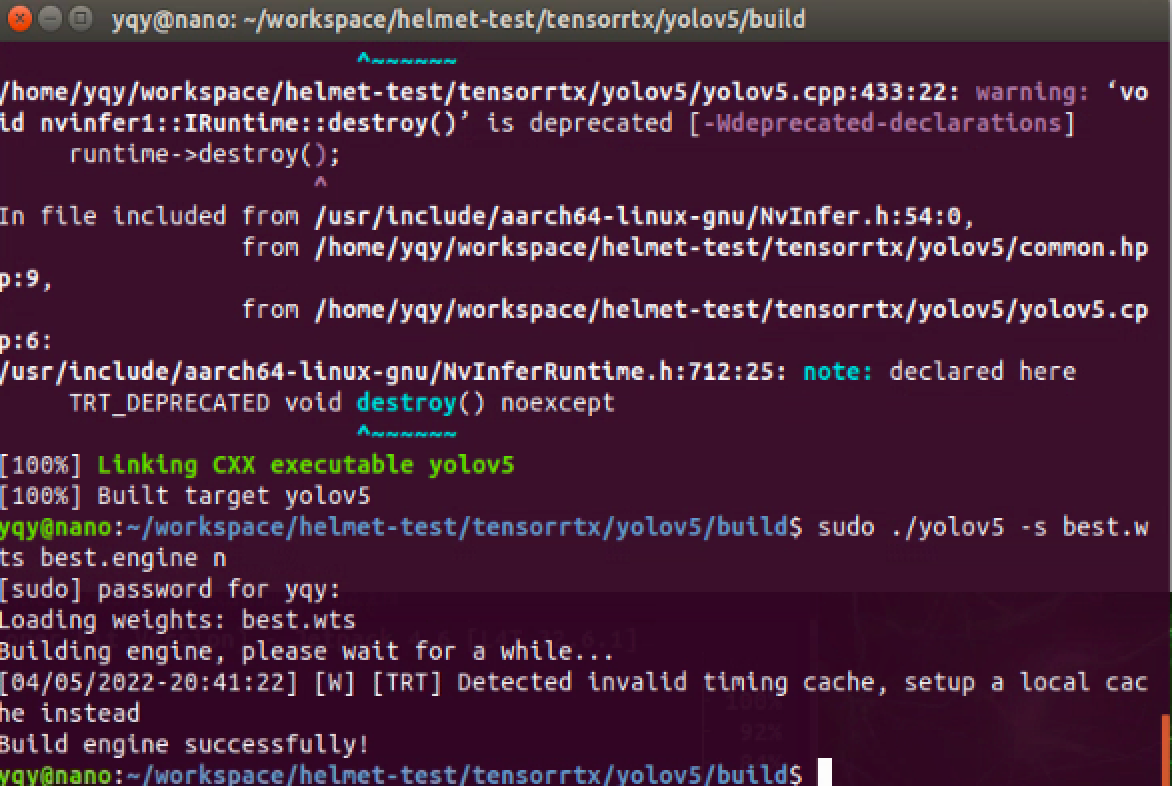
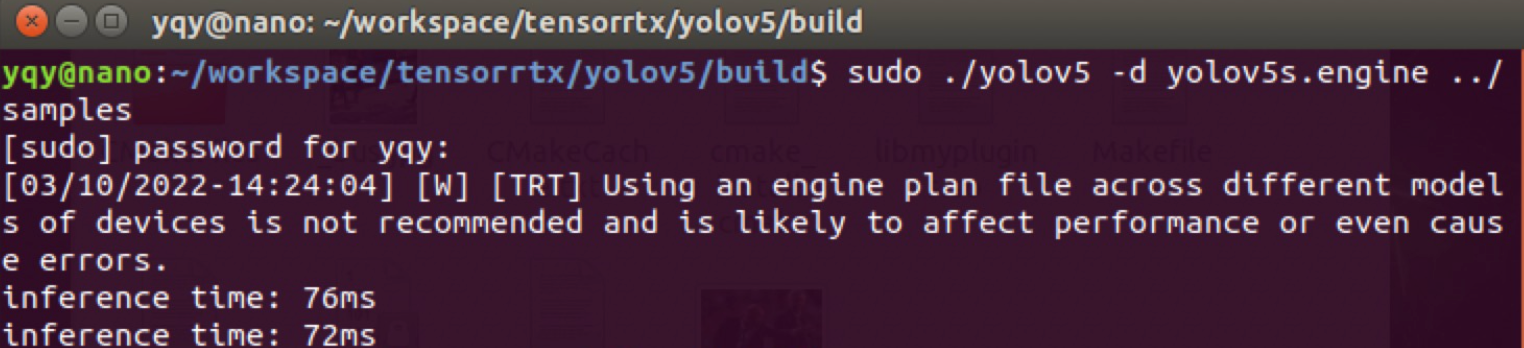
Put the test images under <code>tensorrtx/yolov5/samples/</code> and test whether it can detect objects:
sudo ./yolov5 -d ../best.engine ../samplesAfter testing, inference speed improves significantly after converting to TensorRT.
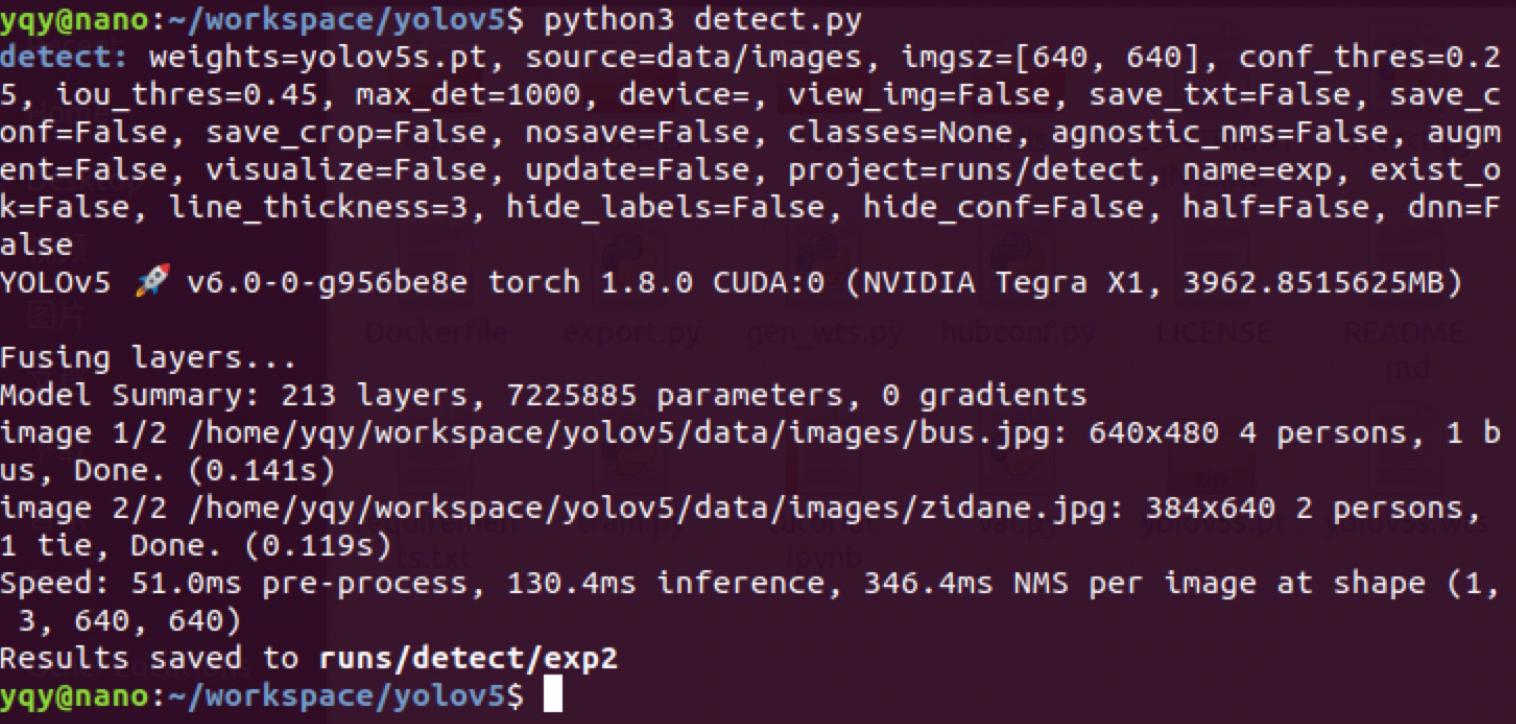
Image size: 640*640
- YOLOv5s inference latency is around 130 ms
- After conversion to TensorRT, inference latency is around 70 ms
Install and test DeepStream (5.0)
‼️Always check the official documentation for the matching DeepStream and JetPack versions (for example, JetPack 4.6 supports DeepStream 6.0).
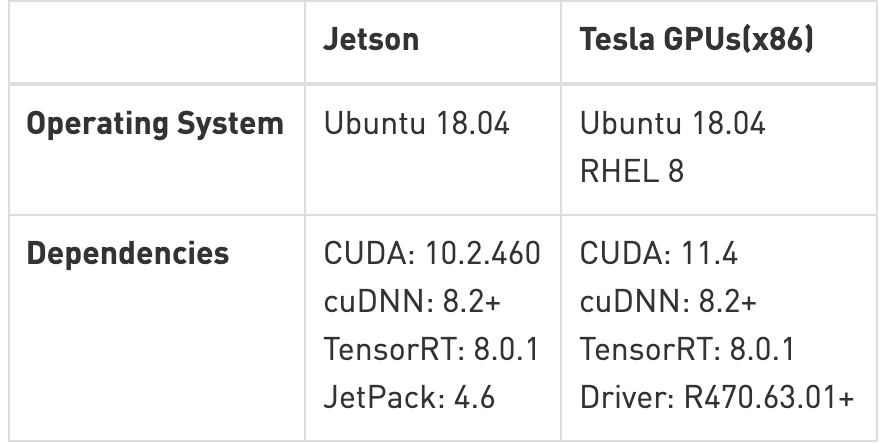
Official documentation: NVIDIA Metropolis Documentation
Official download: DeepStream Getting Started | NVIDIA Developer
Older versions: NVIDIA DeepStream SDK on Jetson (Archived) | NVIDIA Developer
- Condensed notes
sudo apt install \
    libssl1.0.0 \
    libgstreamer1.0-0 \
    gstreamer1.0-tools \
    gstreamer1.0-plugins-good \
    gstreamer1.0-plugins-bad \
    gstreamer1.0-plugins-ugly \
    gstreamer1.0-libav \
    libgstrtspserver-1.0-0 \
    libjansson4=2.11-1
sudo apt-get install librdkafka1=0.11.3-1build1
tar -xpvf deepstream_sdk_v4.0.2_jetson.tbz2
cd deepstream_sdk_v4.0.2_jetson
sudo tar -xvpf binaries.tbz2 -C /
sudo ./install.sh
sudo ldconfig- Detailed version
- Install and test DeepStream (there are detailed docs in the official release)
Install required packages:
sudo apt install \
libssl1.0.0 \
libgstreamer1.0-0 \
gstreamer1.0-tools \
gstreamer1.0-plugins-good \
gstreamer1.0-plugins-bad \
gstreamer1.0-plugins-ugly \
gstreamer1.0-libav \
libgstrtspserver-1.0-0 \
libjansson4=2.11-1- Download the SDK and copy it to the Jetson
- Extract the SDK
sudo tar -xvf deepstream_sdk_v5.1.0_jetson.tbz2 -C /
cd /opt/nvidia/deepstream/deepstream-5.1
sudo ./install.sh
sudo ldconfig- Test after installation
cd /opt/nvidia/deepstream/deepstream-5.0/samples/configs/deepstream-app/deepstream-app -c source8_1080p_dec_infer-resnet_tracker_tiled_display_fp16_nano.txtInstall DS-6.0
Quickstart Guide — DeepStream 6.0 Release documentation (nvidia.com)
- Install
sudo apt install \
libssl1.0.0 \
libgstreamer1.0-0 \
gstreamer1.0-tools \
gstreamer1.0-plugins-good \
gstreamer1.0-plugins-bad \
gstreamer1.0-plugins-ugly \
gstreamer1.0-libav \
libgstrtspserver-1.0-0 \
libjansson4=2.11-1

sudo tar -xvf deepstream_sdk_v6.0.0_jetson.tbz2 -C /
cd /opt/nvidia/deepstream/deepstream-6.0
sudo ./install.sh
sudo ldconfig- Test
cd /opt/nvidia/deepstream/deepstream-6.0/samples/configs/deepstream-app/

deepstream-app -c source8_1080p_dec_infer-resnet_tracker_tiled_display_fp16_nano.txt
YOLOv5 detection
‼️Jetson Nano system version is 4.5.1, TensorRT version is 7.x, YOLOv5 version is 5.0. If you hit Pillow-related errors: uninstall Pillow with <code>pip3 uninstall pillow</code> , then reinstall with <code>pip3 install pillow</code> .
After installing DeepStream, you will find an official YOLO deployment sample under <code>/opt/nvidia/deepstream/deepstream-5.0/sources/objectDetector_Yolo</code>, but it only supports YOLOv3.
On GitHub there are projects that have already adapted YOLOv5:
DanaHan/Yolov5-in-Deepstream-5.0: Describe how to use YOLOv5 in DeepStream 5.0 (GitHub)
I used the TensorRT 7–compatible branch:
Abandon-ht/Yolov5-in-Deepstream-5.0: TensorRT 7 branch (GitHub)
Clone the project:
git clone https://github.com/DanaHan/Yolov5-in-Deepstream-5.0.gitTest:
cd "Yolov5-in-Deepstream-5.0/Deepstream 5.0"

# Copy COCO dataset labels
cp ~/darknet/data/coco.names ./labels.txt

# Copy the engine file generated earlier into the current directory
cp ~/tensorrtx/yolov5/build/yolov5s.engine ./

cd nvdsinfer_custom_impl_Yolo

# Build libnvdsinfer_custom_impl_Yolo.so
make -j

# Back to Deepstream 5.0/
cd ..

# Run
LD_PRELOAD=./libmyplugins.so deepstream-app -c deepstream_app_config_yoloV5.txt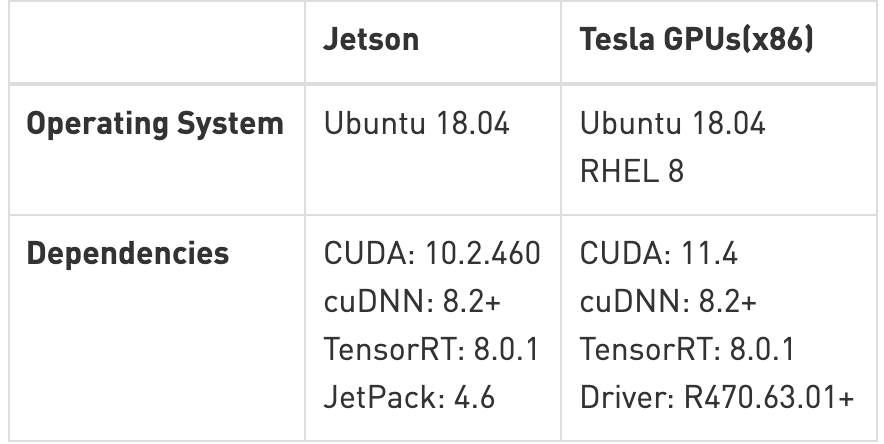
Use CSI or USB cameras in DeepStream
Reference: How to use USB and CSI cameras in deepstream-app (Elecfans)
# Install v4l-utils
apt-get install v4l-utils

# List camera devices
v4l2-ctl --list-devices
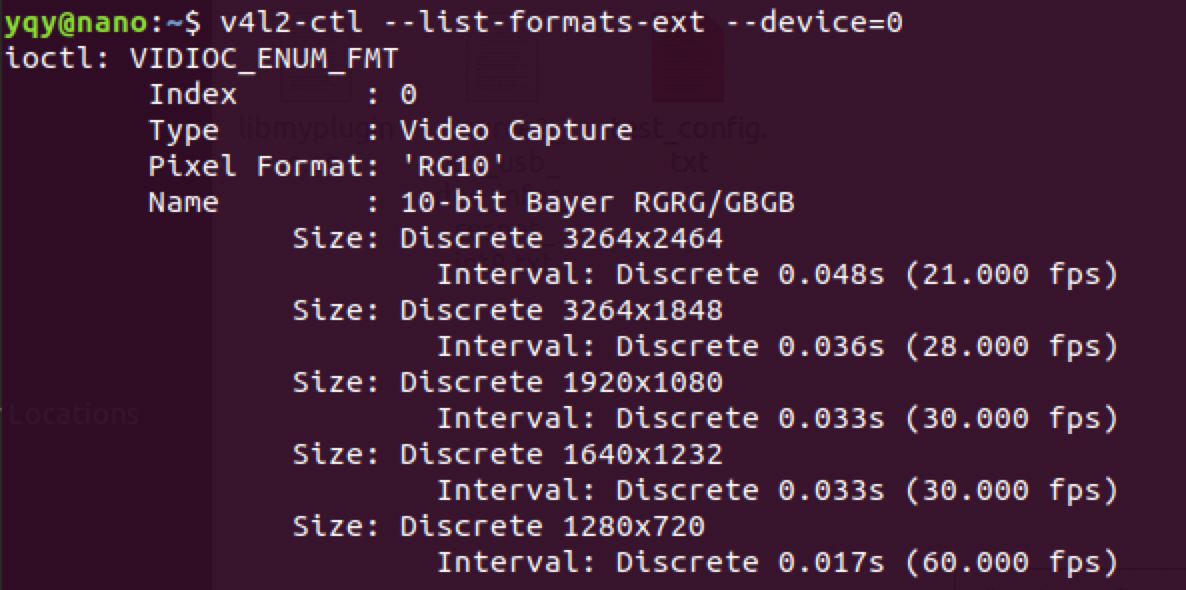
Check available camera resolutions:
v4l2-ctl --list-formats-ext --device=0
v4l2-ctl --list-formats-ext --device=1
Modify the <code>source</code> in <code>deepstream_app_config_yoloV5.txt</code>.
I personally use a Logitech <code>c920</code> webcam (USB).
Parameters:
[source0]
enable=1
#Type - 1=CameraV4L2 2=URI 3=MultiURI
type=1
camera-width=1280
camera-height=720
camera-fps-n=30
camera-v4l2-dev-node=0
#uri=file://../../samples/streams/sample_1080p_h264.mp4
num-sources=1
gpu-id=0
# (0): memtype_device   - Memory type Device
# (1): memtype_pinned   - Memory type Host Pinned
# (2): memtype_unified  - Memory type Unified
cudadec-memtype=0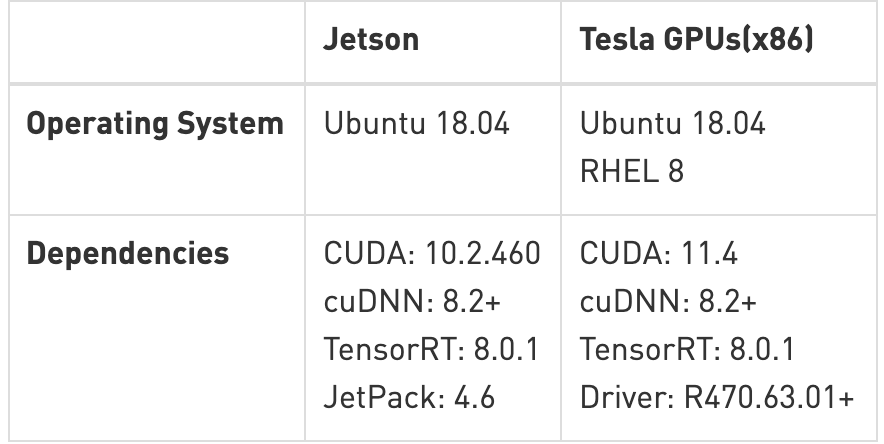
Plugin configuration
Refer to the config files under <code>deepstream_sdk_v4.0.2_jetson/samples/configs/deepstream-app/</code>:
- source30_1080p_resnet_dec_infer_tiled_display_int8.txt: demonstrates 30-stream decode with primary inference. (dGPU and Jetson AGX Xavier platforms only.)
- source4_1080p_resnet_dec_infer_tiled_display_int8.txt: demonstrates four-stream decode with primary inference, object tracking, and three different secondary classifiers. (dGPU and Jetson AGX Xavier platforms only.)
- source4_1080p_resnet_dec_infer_tracker_sgie_tiled_display_int8_gpu1.txt: demonstrates four-stream decode on GPU 1 with primary inference, object tracking, and three different secondary classifiers (for systems with multiple GPU cards). dGPU platforms only.
- config_infer_primary.txt: configures the <code>nvinfer</code> element as a primary detector.
- config_infer_secondary_carcolor.txt, config_infer_secondary_carmake.txt, config_infer_secondary_vehicletypes.txt: configure the <code>nvinfer</code> element as secondary classifiers.
- iou_config.txt: configures a low-level IOU (intersection-over-union) tracker.
- source1_usb_dec_infer_resnet_int8.txt: demonstrates using a USB camera as input.
- source1_csi_dec_infer_resnet_int8.txt: demonstrates using a CSI camera as input; Jetson only.
- source2_csi_usb_dec_infer_resnet_int8.txt: demonstrates using one CSI camera and one USB camera as input; Jetson only.
- source6_csi_dec_infer_resnet_int8.txt: demonstrates using six CSI cameras as input; Jetson only.
- source8_1080p_dec_infer-resnet_tracker_tiled_display_fp16_nano.txt: demonstrates 8x decode + inference + tracker; Jetson Nano only.
- source8_1080p_dec_infer-resnet_tracker_tiled_display_fp16_tx1.txt: demonstrates 8x decode + inference + tracker; Jetson TX1 only.
- source12_1080p_dec_infer-resnet_tracker_tiled_display_fp16_tx2.txt: demonstrates 12x decode + inference + tracker; Jetson TX2 only.
Video input
- Default test video
[application]
enable-perf-measurement=1
perf-measurement-interval-sec=5
#gie-kitti-output-dir=streamscl

[tiled-display]
enable=0
rows=1
columns=1
width=1280
height=720
gpu-id=0
#(0): nvbuf-mem-default - Default memory allocated, specific to particular platform
#(1): nvbuf-mem-cuda-pinned - Allocate Pinned/Host cuda memory, applicable for Tesla
#(2): nvbuf-mem-cuda-device - Allocate Device cuda memory, applicable for Tesla
#(3): nvbuf-mem-cuda-unified - Allocate Unified cuda memory, applicable for Tesla
#(4): nvbuf-mem-surface-array - Allocate Surface Array memory, applicable for Jetson
nvbuf-memory-type=0

[source0]
enable=1
#Type - 1=CameraV4L2 2=URI 3=MultiURI
type=2
uri=file:/opt/nvidia/deepstream/deepstream-6.0/samples/streams/sample_1080p_h264.mp4
#uri=file:/home/nvidia/Documents/5-Materials/Videos/0825.avi
num-sources=1
gpu-id=0
# (0): memtype_device   - Memory type Device
# (1): memtype_pinned   - Memory type Host Pinned
# (2): memtype_unified  - Memory type Unified
cudadec-memtype=0

[sink0]
enable=1
#Type - 1=FakeSink 2=EglSink 3=File
type=2
sync=0
source-id=0
gpu-id=0
nvbuf-memory-type=0
#1=mp4 2=mkv
container=1
#1=h264 2=h265
codec=1
output-file=yolov4.mp4

[osd]
enable=1
gpu-id=0
border-width=1
text-size=12
text-color=1;1;1;1;
text-bg-color=0.3;0.3;0.3;1
font=Serif
show-clock=0
clock-x-offset=800
clock-y-offset=820
clock-text-size=12
clock-color=1;0;0;0
nvbuf-memory-type=0

[streammux]
gpu-id=0
##Boolean property to inform muxer that sources are live
live-source=0
batch-size=4
##time out in usec, to wait after the first buffer is available
##to push the batch even if the complete batch is not formed
batched-push-timeout=40000
## Set muxer output width and height
width=1280
height=720
##Enable to maintain aspect ratio wrt source, and allow black borders, works
##along with width, height properties
enable-padding=0
nvbuf-memory-type=0

# config-file property is mandatory for any gie section.
# Other properties are optional and if set will override the properties set in
# the infer config file.
[primary-gie]
enable=1
gpu-id=0
model-engine-file=yolov5s.engine
labelfile-path=labels.txt
#batch-size=1
#Required by the app for OSD, not a plugin property
bbox-border-color0=1;0;0;1
bbox-border-color1=0;1;1;1
bbox-border-color2=0;0;1;1
bbox-border-color3=0;1;0;1
interval=0
gie-unique-id=1
nvbuf-memory-type=0
config-file=config_infer_primary_yoloV5.txt

[tracker]
enable=0
tracker-width=512
tracker-height=320
ll-lib-file=/opt/nvidia/deepstream/deepstream-5.0/lib/libnvds_mot_klt.so

[tests]
file-loop=0
camera
- USB camera
[source0]
enable=1
#Type - 1=CameraV4L2 2=URI 3=MultiURI
type=1
camera-width=1280
camera-height=720
camera-fps-n=30
camera-fps-d=1
camera-v4l2-dev-node=0- CSI camera
[source0]
enable=1
#Type - 1=CameraV4L2 2=URI 3=MultiURI 4=RTSP 5=CSI
type=5
camera-width=1280
camera-height=720
camera-fps-n=30
camera-fps-d=1
camera-csi-sensor-id=0
videofile
Four identical files, using MultiURI:
[source0]
enable=1
#Type - 1=CameraV4L2 2=URI 3=MultiURI 4=RTSP
type=3
uri=file://../../streams/sample_1080p_h264.mp4
num-sources=4
#drop-frame-interval=2
gpu-id=0
# (0): memtype_device   - Memory type Device
# (1): memtype_pinned   - Memory type Host Pinned
# (2): memtype_unified  - Memory type Unified
cudadec-memtype=0
media stream
[source0]
enable=1
#Type - 1=CameraV4L2 2=URI 3=MultiURI 4=RTSP
type=4
uri=rtsp://admin:admin123@192.168.1.106:554/cam/realmonitor?channel=1&subtype=0
num-sources=1
#drop-frame-interval=2
gpu-id=0
# (0): memtype_device   - Memory type Device
# (1): memtype_pinned   - Memory type Host Pinned
# (2): memtype_unified  - Memory type Unified
cudadec-memtype=0
Multiple USB streams
[source0]
enable=1
#Type - 1=CameraV4L2 2=URI 3=MultiURI 4=RTSP
type=3
uri=file://../../streams/sample_1080p_h264.mp4
num-sources=4
#drop-frame-interval=2
gpu-id=0
# (0): memtype_device   - Memory type Device
# (1): memtype_pinned   - Memory type Host Pinned
# (2): memtype_unified  - Memory type Unified
cudadec-memtype=0
Multiple CSI streams
[source0]
enable=1
#Type - 1=CameraV4L2 2=URI 3=MultiURI 4=RTSP 5=CSI
type=5
camera-csi-sensor-id=0
camera-width=1280
camera-height=720
camera-fps-n=30
camera-fps-d=1

[source1]
enable=1
#Type - 1=CameraV4L2 2=URI 3=MultiURI 4=RTSP 5=CSI
type=5
camera-csi-sensor-id=1
camera-width=1280
camera-height=720
camera-fps-n=30
camera-fps-d=1

[source2]
enable=1
#Type - 1=CameraV4L2 2=URI 3=MultiURI 4=RTSP 5=CSI
type=5
camera-csi-sensor-id=2
camera-width=1280
camera-height=720
camera-fps-n=30
camera-fps-d=1

[source3]
enable=1
#Type - 1=CameraV4L2 2=URI 3=MultiURI 4=RTSP 5=CSI
type=5
camera-csi-sensor-id=3
camera-width=1280
camera-height=720
camera-fps-n=30
camera-fps-d=1
Video processing
Object detection
# config-file property is mandatory for any gie section.
# Other properties are optional and if set will override the properties set in
# the infer config file.
[primary-gie]
enable=1
model-engine-file=../../models/Primary_Detector/resnet10.caffemodel_b30_int8.engine
#Required to display the PGIE labels, should be added even when using config-file
#property
batch-size=4
#Required by the app for OSD, not a plugin property
bbox-border-color0=1;0;0;1
bbox-border-color1=0;1;1;1
bbox-border-color2=0;0;1;1
bbox-border-color3=0;1;0;1
interval=0
#Required by the app for SGIE, when used along with config-file property
gie-unique-id=1
config-file=config_infer_primary.txt
Object tracking
[tracker]
enable=1
tracker-width=640
tracker-height=368
#tracker-width=480
#tracker-height=272

#ll-lib-file=/opt/nvidia/deepstream/deepstream-4.0/lib/libnvds_mot_iou.so
#ll-lib-file=/opt/nvidia/deepstream/deepstream-4.0/lib/libnvds_nvdcf.so
ll-lib-file=/opt/nvidia/deepstream/deepstream-4.0/lib/libnvds_mot_klt.so
#ll-config-file required for DCF/IOU only
#ll-config-file=tracker_config.yml
#ll-config-file=iou_config.txt
gpu-id=0
#enable-batch-process applicable to DCF only
enable-batch-process=1
Secondary classification after detection
[secondary-gie0]
enable=1
model-engine-file=../../models/Secondary_VehicleTypes/resnet18.caffemodel_b16_int8.engine
gpu-id=0
batch-size=16
gie-unique-id=4
operate-on-gie-id=1
operate-on-class-ids=0;
config-file=config_infer_secondary_vehicletypes.txt

[secondary-gie1]
enable=1
model-engine-file=../../models/Secondary_CarColor/resnet18.caffemodel_b16_int8.engine
batch-size=16
gpu-id=0
gie-unique-id=5
operate-on-gie-id=1
operate-on-class-ids=0;
config-file=config_infer_secondary_carcolor.txt

[secondary-gie2]
enable=1
model-engine-file=../../models/Secondary_CarMake/resnet18.caffemodel_b16_int8.engine
batch-size=16
gpu-id=0
gie-unique-id=6
operate-on-gie-id=1
operate-on-class-ids=0;
config-file=config_infer_secondary_carmake.txt
Video output
Tiling multiple streams
Single stream:
[tiled-display]
enable=1
rows=1
columns=1
width=1280
height=720
Multiple streams:
[tiled-display]
enable=1
rows=4
columns=2
width=1280
height=720
gpu-id=0
#(0): nvbuf-mem-default - Default memory allocated, specific to particular platform
#(1): nvbuf-mem-cuda-pinned - Allocate Pinned/Host cuda memory, applicable for Tesla
#(2): nvbuf-mem-cuda-device - Allocate Device cuda memory, applicable for Tesla
#(3): nvbuf-mem-cuda-unified - Allocate Unified cuda memory, applicable for Tesla
#(4): nvbuf-mem-surface-array - Allocate Surface Array memory, applicable for Jetson
nvbuf-memory-type=0
screen
[sink0]
enable=1
#Type - 1=FakeSink 2=EglSink 3=File 4=RTSPStreaming 5=Overlay
type=5
sync=0
display-id=0
offset-x=0
offset-y=0
width=0
height=0
overlay-id=1
source-id=0
videofile
[sink1]
enable=1
type=3
#1=mp4 2=mkv
container=1
#1=h264 2=h265 3=mpeg4
codec=1
sync=0
bitrate=2000000
output-file=out.mp4
source-id=0
media stream
[sink2]
enable=1
#Type - 1=FakeSink 2=EglSink 3=File 4=RTSPStreaming 5=Overlay
type=4
#1=h264 2=h265
codec=1
sync=0
bitrate=4000000
# set below properties in case of RTSPStreaming
rtsp-port=8554
udp-port=5400
Open the network stream in VLC: rtsp://192.168.0.118:8554/ds-test
osd
[osd]
enable=1
border-width=2
text-size=15
text-color=1;1;1;1;
text-bg-color=0.3;0.3;0.3;1
font=Serif
show-clock=0
clock-x-offset=800
clock-y-offset=820
clock-text-size=12
clock-color=1;0;0;0
streammux
[streammux]
##Boolean property to inform muxer that sources are live
live-source=1
## Set this based on the number of sources
batch-size=4
##time out in usec, to wait after the first buffer is available
##to push the batch even if the complete batch is not formed
batched-push-timeout=40000
## Set muxer output width and height
width=1280
height=720
Sample apps
- DeepStream Sample App /sources/apps/sample_apps/deepstream-app
Note: This end-to-end sample demonstrates multi-camera streams through a 4-stage cascaded neural network (1 primary detector + 3 secondary classifiers) and shows tiled output.
- DeepStream Test 1 /sources/apps/sample_apps/deepstream-t
- DeepStream Test 2 /sources/apps/sample_apps/deepstream-test2
Note: A simple app built on top of test1, showing additional features like tracking and secondary classification metadata.
- DeepStream Test 3 /sources/apps/sample_apps/deepstream-test3
Note: A simple app built on top of test1, showing multiple input sources and batching via nvstreammux.
- DeepStream Test 4 /sources/apps/sample_apps/deepstream-test4
Note: Built on top of the Test1 sample. Demonstrates use of the “nvmsgconv” and “nvmsgbroker” plugins in IoT-connected pipelines. For test4, you must modify the Kafka broker connection string to connect successfully. You need to install the analytics server Docker before running test4. See the DeepStream analytics docs for more details.
- FasterRCNN Object Detector /sources/objectDetector_FasterRCNN
Note: FasterRCNN object detector sample.
- SSD Object Detector /sources/objectDetector_SSD
Note: SSD object detector sample.
Deploy your own model
Deploy your own YOLOv5 model on Jetson Nano (TensorRT acceleration) (CSDN)
References
Deployment
- Custom YOLO Model in the DeepStream YOLO App — DeepStream 6.0 Release documentation (nvidia.com)
- Jetson Nano deployment notes: yolov5s + TensorRT + DeepStream (USB camera) (CSDN)
- From flashing the system to DeepStream + TensorRT + YOLOv5 CSI-camera detection on Jetson Nano (Bilibili)
- Deploy your own YOLOv5 model on Jetson Nano (TensorRT acceleration) (CSDN)
- rscgg37248/DeepStream6.0_Yolov5-6.0: object detection based on DeepStream 6.0 and YOLOv5 6.0 (GitHub)
- NVIDIA Jetson Nano 2GB series (30): DeepStream camera “real-time performance” (Zhihu)
- Deploy your own YOLOv5 model on Jetson Nano (TensorRT acceleration) (CSDN)